


CBP Home
3.794.00 Reviews
App Specs
- Version
- 1.25.0
- Updated On
- License
- Free
- Downloads
- 100,000+
- Developer
- U.S. Customs and Border Protection
- Categories
- Business
- Platform
- Android
Screenshots
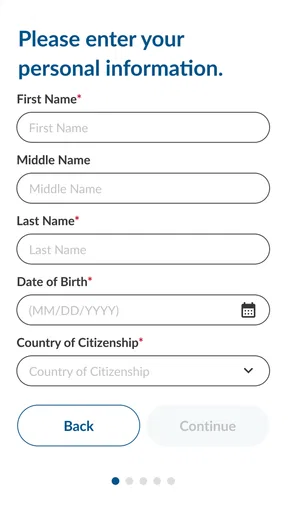
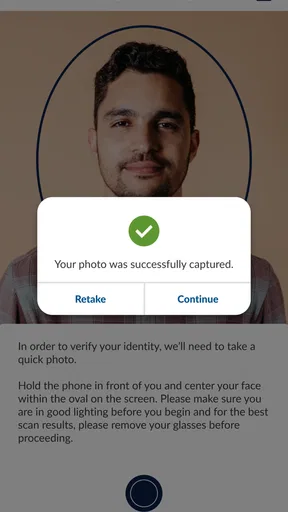
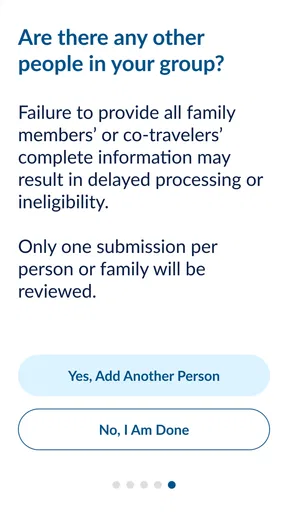
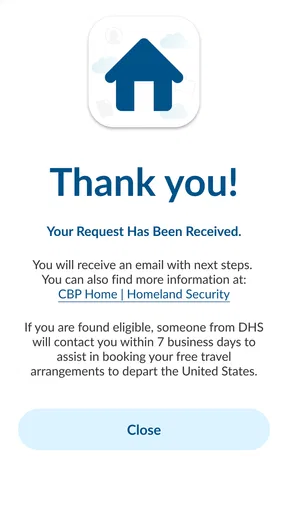
 Analysis by AppCompare
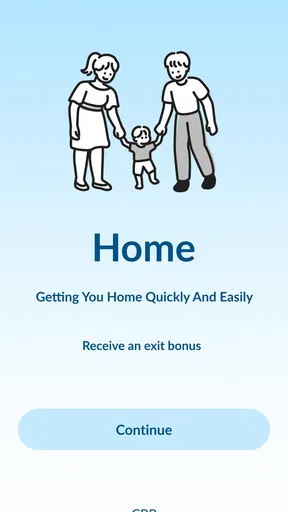
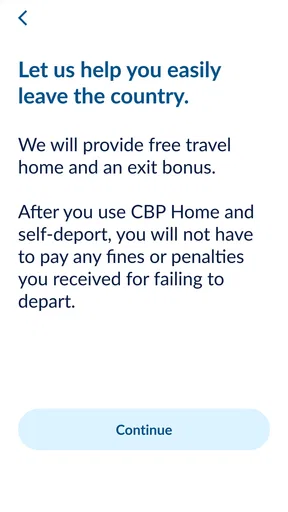
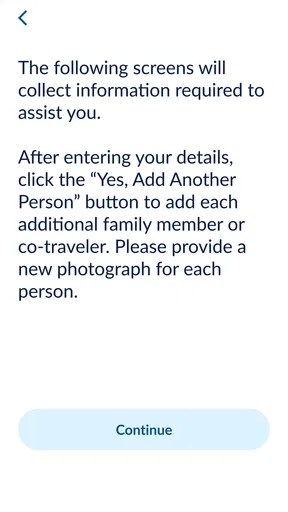
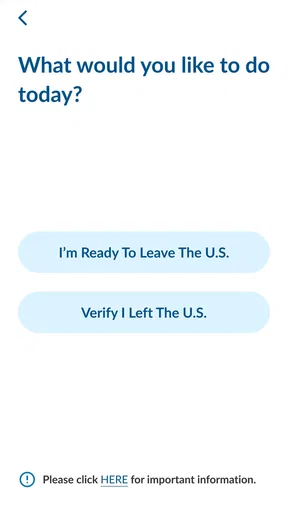
When I first looked at CBP Home, I did not see it as a general travel planner or an all-purpose government services app. Its purpose is much narrower and more practical: it gives people a way to submit an intent to leave the United States. That focus makes it useful in a specific situation, but it also means the value depends heavily on whether that situation applies to you.
The app comes from U.S. Customs and Border Protection and sits in the Business category rather than entertainment or travel planning. It is free, rated for Everyone, and available for devices running Android 8.0 or later. The current release is version 1.25.0, and the app has passed the 100K-install mark. Its average score is 3.7 from roughly 282 ratings, with about 94 written reviews, which suggests a mixed but meaningful level of user experience rather than universal approval.
Where CBP Home fits in a careful departure workflow
I use this section to frame CBP Home as one deliberate step in a wider departure plan, rather than a shortcut that replaces preparation. The key practical question is what I have ready before I begin: having source documents and a calm moment to check each entry can matter more than tapping through quickly. That preparation also makes it easier to decide when a digital submission is appropriate and when I should first seek clearer guidance.
Start with the situation, not the app
The most important thing I learned while reviewing this app is that it should not be the first step in an improvised travel plan. Before opening it, I would organize the information connected with my departure: identity documents, travel details, contact information, and any instructions received from the relevant authorities. The app is a submission tool, not a replacement for checking whether I am eligible to use the process or whether additional obligations apply to my case.
That distinction matters because a digital submission can feel more final than it really is. I would not treat a confirmation screen as proof that every immigration, border, legal, or travel requirement has been completed. Instead, I would save the information shown after submitting and keep my other documents available. This simple separation prevents a common mistake: assuming that one app covers the entire departure process.
In everyday terms, CBP Home works best as one checkpoint in a larger routine. I would use it after preparing the facts I need, submit the intent carefully, and then continue with the independent steps required for my journey. That approach is less exciting than tapping through quickly, but it is much safer and easier to audit later.
What the focused design does well
The narrow purpose is also the app's strongest quality. I did not have to search through a crowded collection of unrelated travel tools to find the relevant action. For someone who already knows that submitting an intent to leave is the task they need, a dedicated government app can be clearer than trying to interpret instructions scattered across websites, email messages, or paper forms.
Worth Reading Before You Choose

EA SPORTS FC Mobile 26 Is a Bigger Football Game, but It Takes Time

Flipboard Shows What News Apps Must Do Beyond the Feed

Switching to Android Auto Means Rethinking Your Driving Routine

Google Calendar Makes a Crowded Week Easier to Manage

Ludo King Makes the Most of the Minutes Between Plans

Baby Panda World Brings Quick Play to Modern Phones, but Its Game Library Feels Busy
I particularly appreciate the possibility of handling the submission from a phone rather than relying entirely on a desktop computer. That can help a person who is already arranging transport, staying away from home, or working through a deadline with limited access to a larger device. The trade-off is that a phone encourages speed, so I would use it in a quiet place rather than while boarding a vehicle or moving through a busy terminal.
The best way to use CBP Home is as a controlled record-making step, not as a complete travel-management system. That mindset changes how I prepare, what I save, and how I respond if something goes wrong.
Capturing information without creating avoidable errors
My preferred workflow would begin with a short preparation note outside the app. I would write down the exact spelling of names, document details, and the departure information I intend to submit. I would then compare each item against the original document immediately before entering it. This may sound overly cautious, but government forms are not a good place to rely on memory or hurried typing.
I would also avoid submitting while distracted. A realistic example is a person leaving temporary accommodation after receiving an instruction to depart. They may be packing, arranging a ride, answering messages, and trying to complete the digital process at the same time. I would pause that activity, sit down with the relevant documents, and use the app as a separate task. Afterward, I would record the submission details in a secure personal note.
One useful habit is to distinguish between information that is being entered and information that is being confirmed. During the first pass, I would focus only on accurate entry. During the review pass, I would check names, numbers, dates, and destination details from beginning to end. Treating those as two different stages reduces the chance that I will skim a familiar-looking screen and miss a small but important mistake.
Organizing the result for later reference
After completing a submission, I would keep a private record of what the app displays. That might include a confirmation reference or other on-screen details, provided the app presents them. I would not depend on remembering the result or assume that I can recreate the same screen later. A secure note, protected email folder, or offline record can make follow-up much easier.
I would also label the record clearly with the date and the purpose of the submission. The point is not to create a complicated filing system. It is to avoid the frustrating situation where several travel documents, screenshots, and messages are mixed together and I cannot tell which one relates to the departure intent.
There is a practical privacy trade-off here. Saving a screenshot is convenient, but screenshots can appear in ordinary photo backups or be visible to anyone who can open the device. I would choose the storage method that matches my personal security situation, and I would avoid sending sensitive records through casual group chats. The app helps with submission; it does not automatically organize my wider digital paperwork.
Turning a one-time action into a repeatable routine
For a single departure, the routine can be simple: prepare the documents, enter the information, review every field, submit, save the result, and continue with the remaining travel responsibilities. If I needed to use the process again, I would not blindly copy an old entry. I would use the previous record only as a reference and verify every detail again, because travel plans and personal circumstances can change.
I would keep a small checklist beside the phone rather than trying to remember the sequence. My version would include: confirm that this is the correct CBP process, gather the source documents, enter information slowly, review it independently, save the confirmation, and check for any separate instructions. The checklist is valuable because it protects against the human tendency to skip familiar steps after the first successful use.
Another useful routine is to complete the submission before the most stressful part of the journey. I would not wait until the last minute if I can reasonably avoid it. A crowded airport, weak mobile service, low battery, or unexpected interruption can turn a straightforward form into a rushed decision. Completing the task earlier leaves time to investigate a problem instead of guessing under pressure.
Where the experience can break down
The app's limited scope creates its first major weakness. Someone looking for flight booking, itinerary management, document translation, border wait information, or broad immigration guidance will need other resources. CBP Home is not a substitute for a travel organizer, and I would be disappointed if I approached it expecting a complete dashboard for every part of an international departure.
A second friction point is uncertainty around what happens after submission. A user may reasonably want to know whether the action has been received, whether it needs review, or whether another authority must be contacted. The app can support the act of submitting intent, but I would not assume that the on-screen completion of a form answers every question about the wider case. When the consequences are significant, official instructions and qualified advice remain important.
There is also the ordinary risk of mobile use. A small screen makes long identifiers easier to mistype, and interruptions can make it difficult to remember whether a form was actually submitted. I would not press the submit control repeatedly just because the response is slow. Instead, I would first check whether the app shows a completed state or saved result, then seek the appropriate official support route if the status remains unclear.
Connectivity and device conditions can matter as well. I would charge the phone, close distracting apps, and use a stable connection before starting. These are not special features of CBP Home, but they are especially relevant when the result may be needed later. A failure caused by a dead battery is easy to prevent; a duplicate or uncertain submission can be much harder to untangle.
How it compares with the usual alternatives
The usual alternative is to work from a browser, printed instructions, email correspondence, or direct contact with an authority. A browser can be better when I need to read extensive guidance, compare several official pages, or work with a large set of documents. A desktop screen also makes it easier to view source material beside the form. For a complicated case, I would prefer that wider context over the convenience of a focused phone app.
Printed instructions have a different advantage: they remain available when the phone is unavailable or the connection is unreliable. They are less convenient to update and do not provide the same direct submission experience, but I would still keep essential reference information offline. Direct contact is slower and may require more effort, yet it can be the better choice when my circumstances do not fit a straightforward digital workflow or when I need clarification before submitting.
CBP Home is strongest when the task is clearly defined and I want a mobile route for that specific action. It is weaker when I need interpretation, case-specific guidance, or a complete record of everything connected with travel. I would choose it for focused execution, not for research or broad planning.
Who should adopt it, and who should pause
I would recommend trying the app to people who have a clear need to submit an intent to leave the United States, are comfortable completing a government form on a phone, and can prepare their information before starting. It may be particularly practical for someone who does not have convenient access to a computer but can use a modern Android device and maintain a careful document routine.
I would be more cautious if the person's situation is unusual, urgent, disputed, or difficult to describe in a standard digital process. In those cases, the app may still be one part of the process, but I would not make it the only source of direction. A person who needs extensive explanations, language assistance, or a complete travel-management workspace should look beyond this focused tool.
The Everyone age rating makes the app broadly accessible from a content perspective, but that should not be confused with universal suitability for every legal or travel circumstance. The right question is not simply whether the app can be installed. It is whether the user understands the purpose of the submission and has the supporting information needed to use it responsibly.
My overall experience with the focused approach
I see CBP Home as a practical utility with a clearly defined job. Its free availability removes a financial barrier, and its mobile format can make a specific administrative step easier to reach. The rating of 3.7 reflects a service that is useful for some people while still leaving room for frustration, especially when users expect more guidance or encounter uncertainty around the next step.
What I like most is not a long list of features; it is the possibility of fitting the app into a disciplined departure routine. Prepare first, enter carefully, review separately, preserve the result, and do not confuse submission with completion of every other obligation. That workflow gives the app a sensible role without asking it to solve problems it was not designed to solve.
My final recommendation is measured: use CBP Home when its specific submission purpose matches your situation, and approach it with the same care you would give any official record. I would install it for that focused need, but I would keep browser-based guidance, personal documentation, and appropriate official support in the wider plan. For a straightforward case, it can be a useful digital step; for anything unclear or complex, it should be treated as one tool rather than the entire answer.
Pros
- Simple interface for submitting CBP One appointment information
- Provides official U.S. government guidance in one place
- Supports location-based check-in features when available
- Can help users review immigration-related instructions
- Available at no cost on supported mobile devices
Cons
- Requires a stable internet connection for most functions
- Eligibility and features may depend on current immigration policies
- Personal and sensitive information may be required
- Availability can vary by location and user circumstances
- App updates may change procedures with little notice
FAQs for CBP Home
What is CBP Home and what can I use it for?
CBP Home is a U.S. Customs and Border Protection mobile application that provides selected immigration and travel-related services in one place. Depending on the current program and your eligibility, it may help users submit information, request appointments, access instructions, or communicate details to CBP. The available tools can change, so review the official descriptions and eligibility requirements before relying on the app.
Who can use the CBP Home app?
CBP Home is intended for people who need to interact with U.S. Customs and Border Protection through supported services. However, access is not automatically available to everyone, and certain features may depend on nationality, location, immigration situation, travel plans, or a specific government program. Read the eligibility information carefully and provide accurate personal details when creating or submitting a request.
Is CBP Home an official and secure application?
CBP Home is presented as an official U.S. Customs and Border Protection application, but users should still download it only from the verified Google Play Store or Apple App Store listing. The app may request sensitive information, such as identity, contact, travel, or location details. Check the developer name, permissions, privacy policy, and official CBP website to avoid imitation apps or fraudulent services.
What information or documents may I need to use CBP Home?
The exact requirements depend on the feature you are using. You may be asked for personal identification details, contact information, travel or location data, photographs, and supporting documents. Before starting, make sure the information is current and matches your official records. Incomplete, inaccurate, or inconsistent submissions may delay processing or prevent a request from being accepted.
Does using CBP Home guarantee entry, immigration approval, or protection from penalties?
No. Submitting information through CBP Home does not by itself guarantee admission to the United States, an immigration benefit, appointment approval, or any particular government decision. The app is a communication and service tool, while CBP or another authorized agency makes the final determination. Users should follow all instructions, keep confirmation records, and seek qualified legal advice for complex immigration matters.


